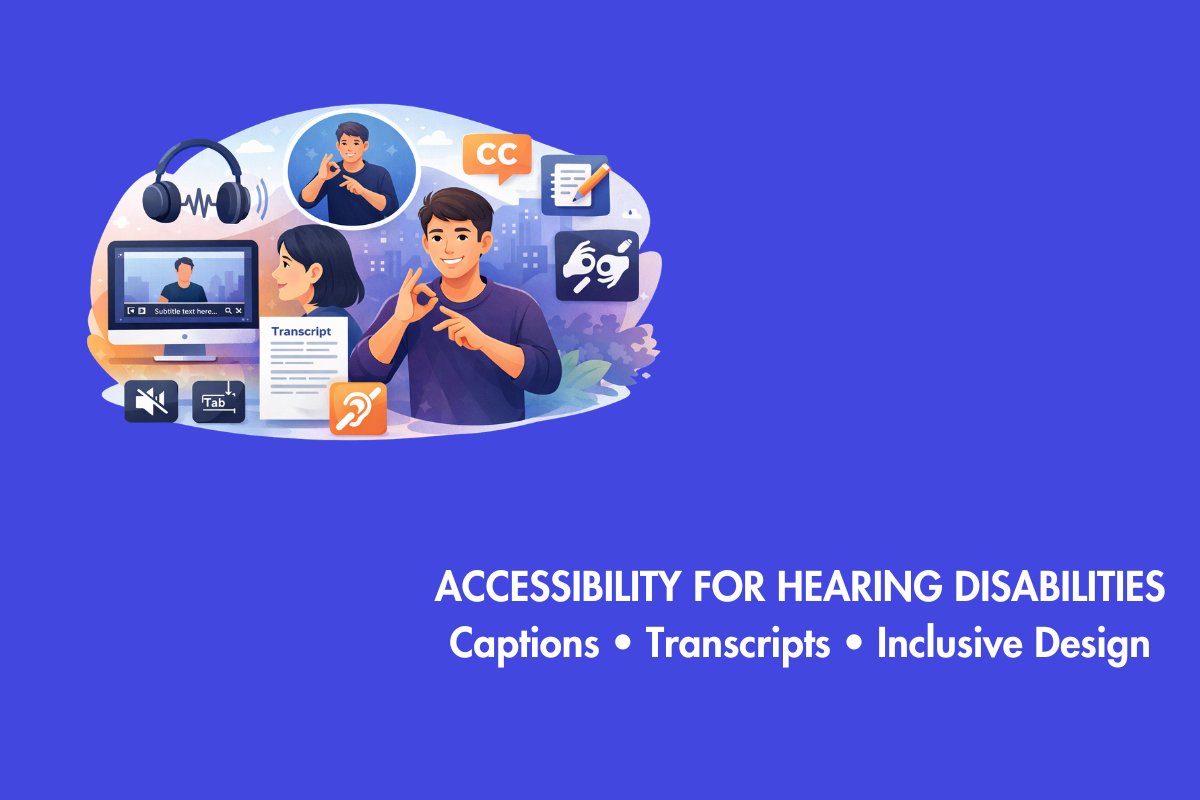
To make the internet available to all, it is necessary to make it accessible to persons who are deaf or hard of hearing. Think about how much video and audio content fills today’s websites and social media. Without proper accessibility features, much of it remains out of reach for people with hearing disabilities.
This involves producing websites and other digital material that persons who are deaf, hard of hearing, or have trouble processing sounds may utilize. Simple solutions benefit not just these individuals, but perhaps everyone involved. The post discusses beneficial ways to make digital content comprehensible and accessible.
Table of Contents
- 1. Understanding the Spectrum of Hearing Disabilities
- 2. The Core Principle: Provide Equivalents for Audio
- 2.1. 1. Master the Art of Captioning
- 2.2. 2. Embrace Detailed Transcripts
- 2.3. 3. Rethink Audio-Only Content
- 2.4. 4. Design an Accessible Multimedia Player
- 2.5. 5. Never Rely on Sound Alone for Information
- 2.6. 6. Facilitate Alternative Communication Methods
- 2.7. 7. Make Sign Language Interpretation Available
- 3. Writing and Design for Cognitive Accessibility
- 4. Testing and Validation: Walk in Their Shoes
- 5. It’s Not Just Good Ethics, It’s Good Sense.
- 6. Your Action Plan Starts Now
Understanding the Spectrum of Hearing Disabilities
What Is a Hearing Impairment?
A hearing impairment affects how well someone can hear, depending on its severity and when it begins. Some people are born deaf, while others lose hearing later in life. Many use sign language or other visual forms of communication. Others are hard of hearing and may struggle to follow conversations, especially with background noise. In some cases, it is linked to conditions like diabetes or hypertension.
Hearing disabilities exist on a wide spectrum. Many are hard of hearing, which can mean varying degrees of hearing loss across different sound frequencies. Conditions like Tinnitus where there is a ringing in the ears and auditory processing disorders also affect how people interpret sound. Other types of hearing impairment include Conductive hearing loss, where sound is blocked in the outer or middle ear, and Sensorineural hearing loss, caused by damage to the inner ear or auditory nerve.
This variety necessitates that our solutions be adaptable. A single solution is inadequate for diverse needs. An individual who employs sign language as their primary mode of communication has distinct requirements compared to someone who acquired hearing loss in adulthood and depends on lip-reading and captioning. Our objective is to offer many avenues to get the same information.
The Core Principle: Provide Equivalents for Audio
Since the web is a visual and auditory medium, the cornerstone of accessibility for hearing disabilities is providing robust text alternatives for any audio-based information. Text is versatile. People can read it, translation tools can convert it, and it does not rely on the ability to perceive sound.
These are your key tactics, deconstructed into manageable stages:
1. Master the Art of Captioning
Captions are text versions of the spoken word and critical sound effects synchronized with video. They are non-negotiable for accessible media.
Use Accurate, Synchronized Captions for All Pre-Recorded Video. ‘Accurate’ means correct spelling, especially names and technical terms, proper grammar, and full representation of the dialogue.
‘Synchronized’ means the text appears at the apt time and at a comfortable reading speed. Never rely solely on auto-generated captions from platforms like YouTube without reviewing and correcting them. Auto-captions often misunderstand accents, technical jargon, & multiple speakers, creating confusing or even offensive errors.
Go Beyond “Just the Words.” Include important non-speech audio information in brackets. Examples : [phone ringing], [tense music], [door slams], and [inaudible whispering]. This provides crucial context about the scene.
Ensure Readability. Use a high-contrast and readable font. Ensure captions don’t cover important visual elements like faces or text graphics. Provide user controls to turn them on and off.
Provide Captions for Live Audio (Live Captioning). For webinars, live streams, and virtual events, use a professional live captioning service or skilled stenographer. Real-time auto-captions for live events are improving but still carry a high risk of inaccuracy for critical content.
2. Embrace Detailed Transcripts
A transcript is a complete text version of the audio content. Think of it as the script of the video or podcast. While captions are for watching along, transcripts are for referencing, reading at one’s own pace, or for when video isn’t available.
Provide a Transcript for Every Audio and Video File. This includes podcasts, interviews, lectures, and video presentations.
Make It Comprehensive. A great transcript includes everything in the captions (dialogue and sound cues) but also adds speaker identification (Host:, Interviewer:) and descriptions of key visual actions that are relevant to understanding the content (Presenter points to graph showing a 30% increase). This makes the transcript a standalone resource.
Make It Easy to Find. Place the transcript link prominently near the media player. Don’t bury it at the bottom of the page.
3. Rethink Audio-Only Content
Podcasts and audio clips pose a unique challenge. Without a visual component, the transcript is the primary access point.
Never Post Audio-Only Content Without a Transcript. It’s as simple as that. The transcript is the accommodation. Style it so that it is clear, make it easy to read, and ensure it’s published simultaneously with the audio release.
Consider a Blog Post Summary. For a podcast, a companion blog post with key takeaways, quotes, and the full embedded transcript can boost SEO and accessibility simultaneously.
4. Design an Accessible Multimedia Player
The best captions are useless if the media player is inaccessible. Accessibility in media content is essential so that regardless of ability, people can fully engage with your website.
Ensure Full Keyboard Control. Users must be able to play, pause, adjust volume, and toggle caption/subtitle tracks using only their keyboard (usually Tab and Enter/Space keys).
Provide Visible, Clear Controls. Buttons should have high contrast and clear labels. The caption (CC) button should be standard and easy to find.
Support Multiple Subtitle Formats. Where possible, allow users to customize caption appearance (font size, background color) to suit their visual preferences.
Building an Accessible Experience Beyond Media
Audio and video are the big-ticket items, but other website elements can create barriers.
5. Never Rely on Sound Alone for Information
This is a critical rule in web development.
Auditory Alerts Must Have a Visual Counterpart. If a form submission triggers a “success” chime, also show a green success message on the screen. If a system error produces a beep, display a clear error alert. A stock ticker that updates with a sound should also have a visual flash or update.
Test with Sound Off. Browse your own site with your computer muted. Do you miss any important information, alerts, or feedback?
6. Facilitate Alternative Communication Methods
If your site involves communication like customer service, then offer non-auditory pathways.
Provide Live Chat or Email Support as an equal alternative to phone support. Don’t hide these options. List them alongside your phone number.
If Using Video Chat, Ensure it Supports High-Quality Video. This is essential for people who rely on lip-reading or use sign language interpreters. Promote the ability to pin or spotlight an interpreter’s video feed.
7. Make Sign Language Interpretation Available
For key content aimed at a broad public audience, such as government announcements, university lectures, or major corporate events, consider including a sign language interpretation.
Embed a Picture-in-Picture (PiP) Video of a certified sign language interpreter for pre-recorded videos.
For Live Events, Include an Interpreter in the Stream. This demonstrates a deep commitment to inclusion for the Deaf community, for whom sign language may be their primary and most natural language.
Writing and Design for Cognitive Accessibility
Many people with hearing disabilities, especially those who lost hearing post-lingually, rely heavily on reading. Others may have co-occurring conditions. Clear writing and design help everyone.
Use Plain Language. Write in clear, straightforward sentences. Avoid complex jargon and idioms. This benefits non-native speakers and people with cognitive differences as well.
Structure Content with Headings. Use proper HTML heading tags (<h1>, <h2>, etc.) to create a logical document outline. This allows screen reader users and anyone skimming to navigate easily.
Pair Icons with Text Labels. A “contact us” icon should sit next to the words “Contact Us.” This removes ambiguity.
Testing and Validation: Walk in Their Shoes
You can’t identify every barrier by guessing. You need to test.
Use Accessibility Evaluation Tools like AAC, WAVE (wave.webaim.org), axe DevTools, or Lighthouse in Chrome DevTools can automatically detect missing captions, transcripts, and other issues.
Conduct Manual accessibility Testing. Turn off your speakers and navigate your website. Complete key tasks like filling out a form, watching a video, and getting support. Can you do everything?
Engage Real Users. The gold standard. Invite people with hearing disabilities to test your website or content. Their feedback will be invaluable and highlight issues you never considered.
It’s Not Just Good Ethics, It’s Good Sense.
Building an accessible web for people with hearing disabilities isn’t just about compliance with laws like the Americans with Disabilities Act (ADA) or the Web Content Accessibility Guidelines (WCAG). It’s about expanding your audience, improving your brand reputation, and creating better content.
Remember, the curb-cut effect is real. Originally designed for people in wheelchairs, curb cuts now help parents with strollers, travelers with rolling luggage, and delivery workers. Similarly, captions are used by people in noisy gyms, quiet offices, and by anyone learning to read or learning a new language. Transcripts boost your SEO, making your content findable by search engines.
Your Action Plan Starts Now
Making the internet truly accessible means ensuring that people who are deaf or hard of hearing can fully use and benefit from it. This involves designing websites and digital content that do not rely on sound alone and instead offer clear, flexible alternatives like captions, transcripts, and visual cues. Presenting a pathway to begin your journey:
Audit Your Existing Content. Start with your most popular videos and podcasts. Add accurate captions and transcripts today.
Implement a “Caption-First” Policy. For all new video content, factor accurate captioning into your production timeline and budget from the start.
Train Your Team. Ensure everyone involved in content creation such as the marketers, developers, and videographers should understand these principles.
Review Key User Flows. Go through your contact, support, and checkout processes with sound off. Fix any points that rely on audio.
The internet has the profound power to connect, inform, and give us a voice. By prioritizing accessibility for hearing disabilities, we ensure that power is available to everyone. We move from building a web that some people can hear to crafting a digital experience that everyone can understand.
Start with one video. Fix one form. The effort you make today doesn’t just remove a barrier; it opens a door. And in that open space, you’ll find a larger, more engaged, and more loyal audience waiting to connect with you.
Accessibility is not just a requirement. It is a better way to build the web: more inclusive, more usable, and more human. Contact us at AEL Data today to build an inclusive digital property.