You see your friend dancing by singing to an unknown song. She says that these are lyrics to a song that has changed her life. Curious, you ask your friend the name of the song. She says it’s a song that’s gone viral, and the artist has gotten many awards in her school and goes on…. But you never asked for it; all you needed was the song’s name. Frustrating, right?
So are many users who browse websites that are packed with truckloads of content to navigate before they reach the desired content. It becomes an exhaustive experience for people with disabilities, as it requires more effort to navigate such content through Assistive Technology (AT). Fortunately, there is an easy fix, an option to jump into the main content. In this blog, we will discuss all aspects of providing the Skip to Main Content link.
Table of Contents
Criteria for Compliance
Accessible design begins with empathy, but it’s also backed by clear legal and accessibility requirements.
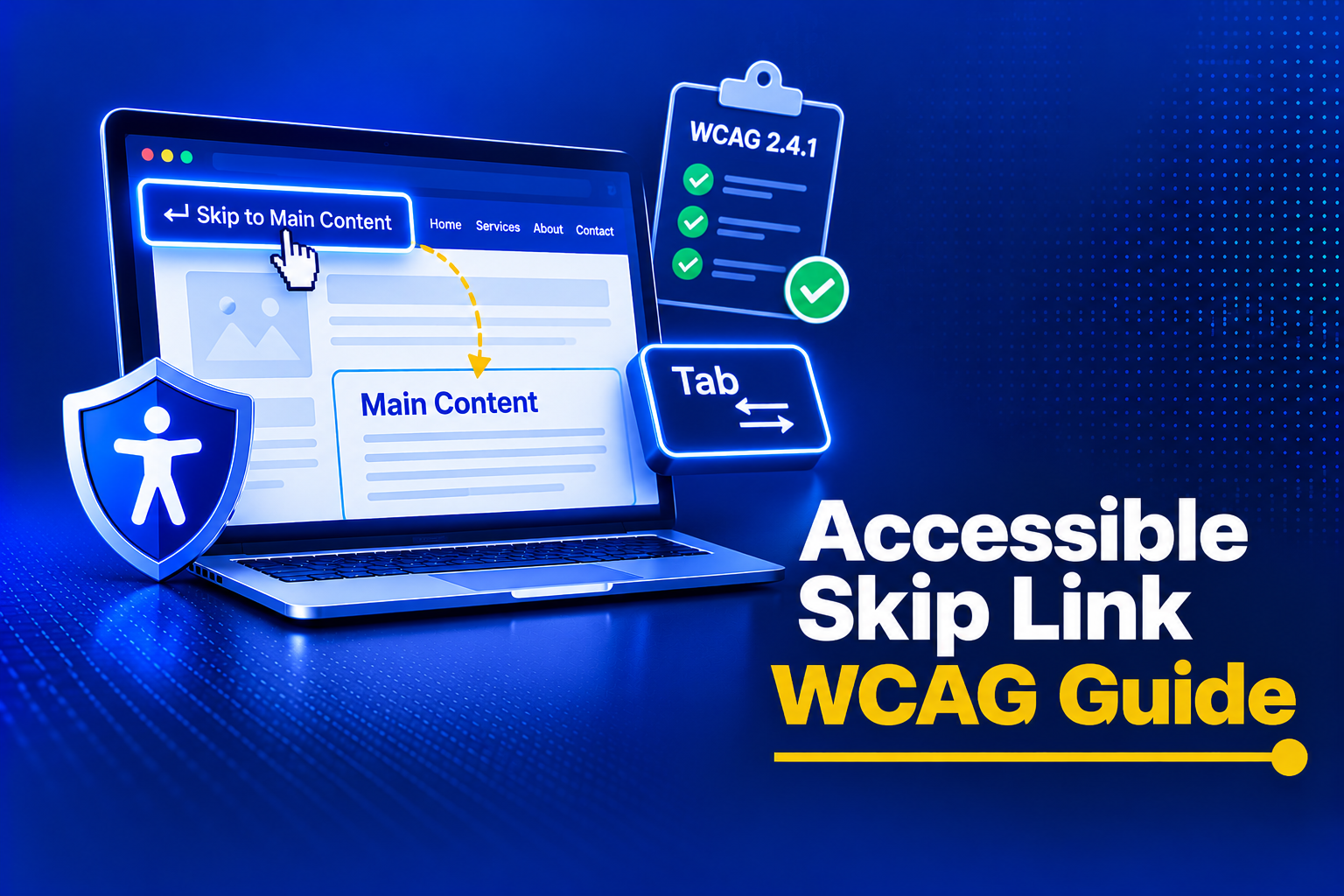
The WCAG Success Criterion 2.4.1 (Bypass Blocks) explicitly states:
A mechanism is available to bypass blocks of content that are repeated on multiple Web pages.
In practice, if your site features a persistent header menu across multiple pages, you must provide a way to skip it. Failing to do so violates WCAG (Level A) compliance. This small architectural change doesn’t require complex coding, it relies on fundamental HTML/CSS. Additionally, it is your shield against one of the most common accessibility audit failures.
How to Implement a Skip Link?
Adding a skip to the main content (skip link) to your codebase is straightforward, but it requires strict adherence to one golden rule: the skip link must be the very first focusable element inside the document’s <body> tag.
Now, let’s learn about implementation.
You need to follow one golden rule before adding it: The skip link must be the very first focusable element inside the document’s <body> tag.
Avoid placing it in places such as: after the company logo or halfway down the navigation menu, as this defeats the whole purpose of adding the link, as users will mostly miss it. Ensure that users encounter the skip link as soon as they open the web page.
The blueprint is just a standard anchor tag pointing to the “id” of your primary content container. By linking the href directly to the <main> tag, the browser knows exactly where to push the user’s focus.
HTML
<body>

  <a href="main-content" class="skip-link">Skip to main content</a>

  <header>

    <nav>

      <ul>

        <li><a href="/about">About Us</a></li>

        <li><a href="/services">Services</a></li>

        <li><a href="/contact">Contact</a></li>

      </ul>

    </nav>

  </header>

  <main id="main-content" tabIndex="-1">

    <h1>Your Awesome Blog Post</h1>

    <p>Content starts here...</p>

  </main>

</body>
When are skip navigation links necessary?
Skip navigation links are useful whenever a page has repeated content like headers, navigation menus, or sidebars that appear on every page. WCAG recommends them for these larger, repetitive sections because they let keyboard users skip straight to the main content instead of tabbing through the same links over and over again.
A good skip link should be one of the first elements a keyboard user reaches. It can stay hidden until it receives focus, but once it does, it should be clearly visible, easy to read, and say something simple like “Skip to main content.” It should also move keyboard focus directly to the start of the main content.
In most cases, a single skip link is all you need. The goal is to make navigation quicker, not add more stops along the way. When implemented well, skip links not only help meet WCAG requirements but also make browsing smoother for keyboard and screen reader users.
The Magic Cloak of Invisibility: CSS
As we always say, don’t prioritize aesthetics over function. Designers often don’t like placing a raw text link on the top left corner of an aesthetic layout or interface. Avoid using “display: none” or “Visibility: hidden” to skip links. These CSS options make the element invisible to screen readers, and keyboards can’t focus on it. In other words, it ceases to exist for people who really need it.
Instead, use CSS absolute positioning to pull the link off-screen, and then use the “:focus” pseudo-class to snap it back into view only when a keyboard user tabs onto it.
CSS
/ Hide the link visually, but keep it in the Accessibility Tree /
.skip-link {

  position: absolute;

  top: -40px;

  left: 0;

  width: 1px;

  height: 1px;

  overflow: hidden;

  clip: rect(1px, 1px, 1px, 1px);

  white-space: nowrap;

  background-color: 000000;

  color: ffffff;

  padding: 8px;

  z-index: 100;

  transition: top 0.2s ease-in-out;

}

/ Reveal the link when a keyboard user tabs to it /

.skip-link:focus {

  top: 0;

  width: auto;

  height: auto;

  clip: auto;

}
This satisfies everyone. Sighted mouse users never see the link, preserving the visual design. Keyboard users hit the Tab key, the link drops into clear view, and screen readers read it aloud perfectly.
Fatal Developer Mistakes to Avoid
Even well-intentioned teams frequently deploy broken skip links. Modern web architecture introduces complexities that can easily sabotage native HTML routing.
The React/SPA Focus Bug (tabIndex=”-1″)
In traditional multi-page architecture, clicking an anchor link like main-content shifts both the visual scroll and the programmatic keyboard focus down to that container.
However, modern Single Page Applications (SPAs) built with React, Vue, or Angular often hijack native browser routing. When a user activates a skip link in an SPA, the framework visually scrolls the screen down but leaves the actual keyboard focus trapped at the top of the page. If the user hits the Tab key again, they drop right back into the navigation menu they just tried to skip.
To fix this, add tabIndex=”-1″ to the target container.
This tells the browser: This element isn’t part of the normal Tab flow, but it is allowed to receive focus programmatically.
This forces the SPA to drop the invisible keyboard focus exactly where it belongs.
The Sticky Header Z-Index Trap
When a user tabs onto the skip link, it drops into the viewport. But if your site features a sticky <header> pinned to the top of the screen, the skip link might appear behind the header.
If a sighted keyboard user tabs to the skip link but can’t see it because it’s buried under a floating logo, the interface becomes deeply confusing. Explicitly manage your CSS stacking context. Ensure the “.skip-link:focus” class is assigned an aggressively high z-index (e.g., z-index: 9999;) so it layers clearly over any sticky navs or modals.
How to Test Your Skip Link?
This is one of the few accessibility tests that you can manually verify within thirty seconds. Here is how you do it.
- Unplug the mouse and try to navigate your website through the keyboard.
- Refresh the page and press the Tab key exactly once. A clear “Skip to Main Content” link should immediately drop down into the viewport. Now, press Enter.
- Press Tab one more time. Your focus indicator (the outline ring) highlight the very first interactive element inside your main content area. If your focus highlights the second item in your top navigation menu, your SPA routing is broken, and you need to apply the tabIndex=”-1″ fix.
Conclusion
A Skip to Main Content link is one of the simplest ways to make a website easier to navigate. Instead of tabbing through the same header and navigation menu on every page, keyboard and screen reader users can jump straight to the main content.
Providing a skip link on your website may seem like an exhaustive process. However, any competent developer can build, test, and deploy it in under twenty minutes. The link will also help in fortifying accessibility on your website. Additionally, it will also help users spend more time on your website. A win-win situation for everyone.
A website avoiding the “skip to main content” link is more or less like a restaurant asking users to solve a quadratic equation to get a password for the WIFI. So, before rejecting the idea, just think: whether you want your audience to skip to the main content or just skip your website entirely? Reach out to us at AEL Data today to assist you further.